Table & views
MySQL CREATE TABLE
A table is used to organize data in the form of rows and columns and used for both storing and displaying records in the structure format. It is similar to worksheets in the spreadsheet application. A table creation command requires three things:
1. Name of the table
2. Names of fields
3. Definitions for each field
Syntax
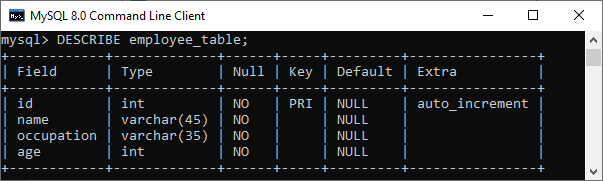
mysql> CREATE TABLE employee_table(
id int NOT NULL AUTO_INCREMENT,
name varchar(45) NOT NULL,
occupation varchar(35) NOT NULL,
age int NOT NULL,
PRIMARY KEY (id)
);
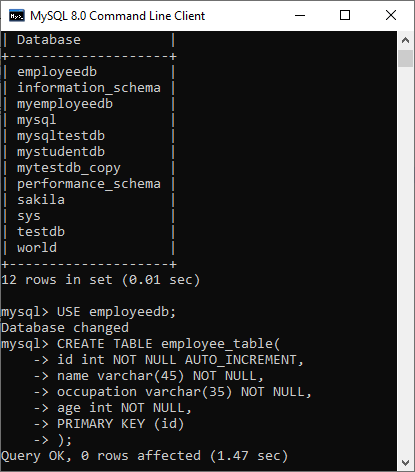
Command
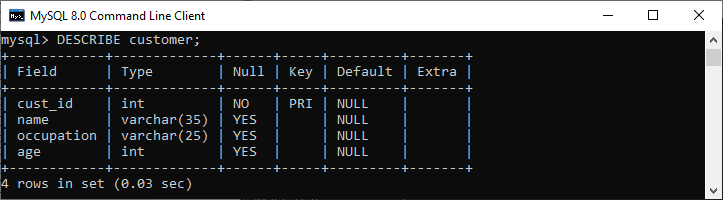
mysql> DESCRIBE employee_table;
MySQL ALTER Table
The ALTER TABLE statement is used to add, delete, or modify columns in an existing table. The ALTER TABLE statement is also used to add and drop various constraints on an existing table.
The ALTER statement is always used with "ADD", "DROP" and "MODIFY" commands according to the situation.
1) ADD a column in the table
Syntax
ALTER TABLE table_name
ADD new_column_name column_definition
[ FIRST | AFTER column_name ];
Example
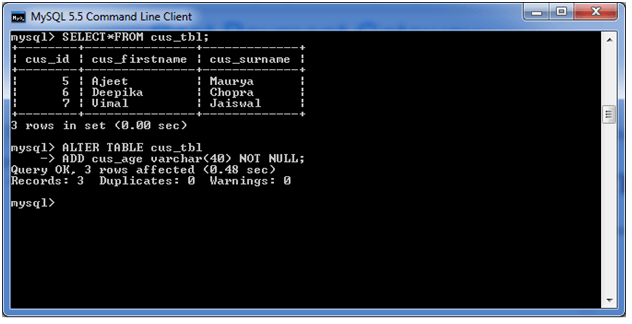
ALTER TABLE cus_tbl
ADD cus_age varchar(40) NOT NULL;
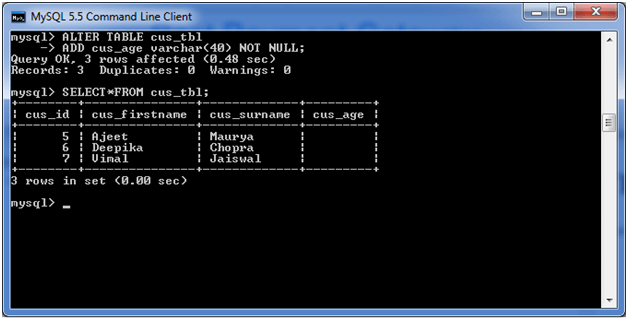
See the recently added columns:
SELECT* FROM cus_tbl;
2) Add multiple columns in the table
Syntax
ALTER TABLE table_name
ADD new_column_name column_definition
[ FIRST | AFTER column_name ],
ADD new_column_name column_definition
[ FIRST | AFTER column_name ],
Example
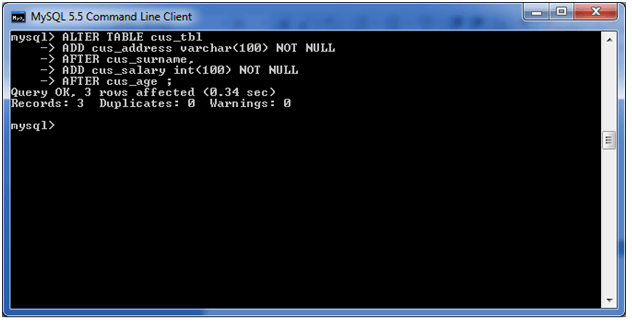
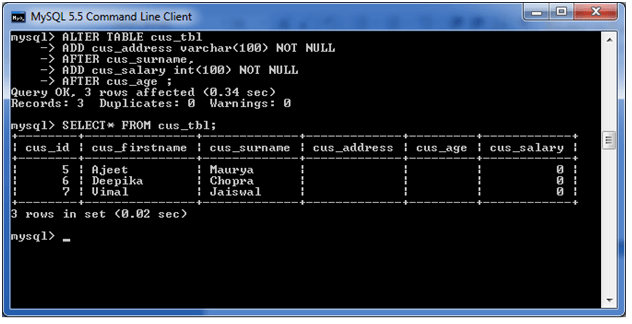
ALTER TABLE cus_tbl
ADD cus_address varchar(100) NOT NULL
AFTER cus_surname,
ADD cus_salary int(100) NOT NULL
AFTER cus_age ;
See the recently added columns:
SELECT* FROM cus_tbl;
3). MODIFY column in the table
Syntax
The MODIFY command is used to change the column definition of the table.
ALTER TABLE table_name
MODIFY column_name column_definition
[ FIRST | AFTER column_name ];
Example
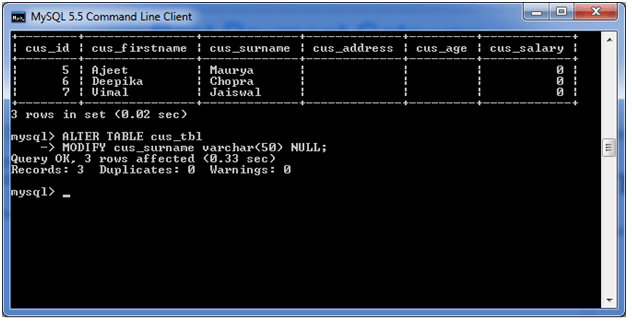
ALTER TABLE cus_tbl
MODIFY cus_surname varchar(50) NULL;
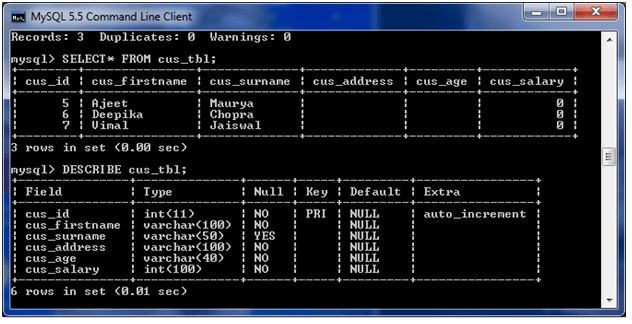
See the Structure:
4) DROP column in table
The DROP COLUMN command is used to delete a column in an existing table.
Syntax
ALTER TABLE table_name
DROP COLUMN column_name;
Example
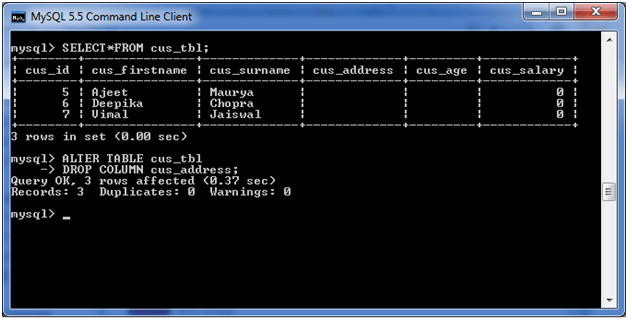
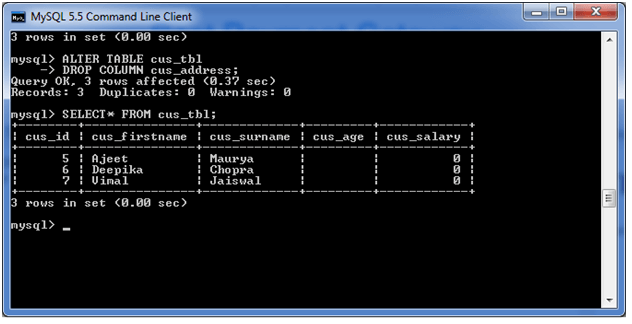
ALTER TABLE cus_tbl
DROP COLUMN cus_address;
See the Structure:
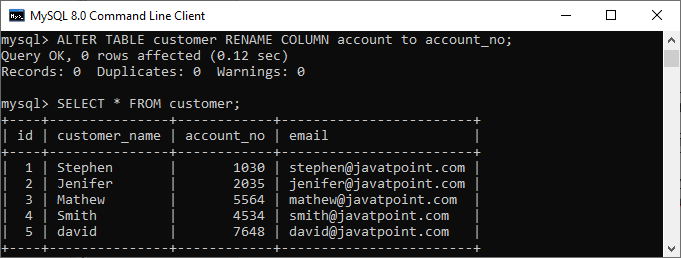
5) RENAME column in table
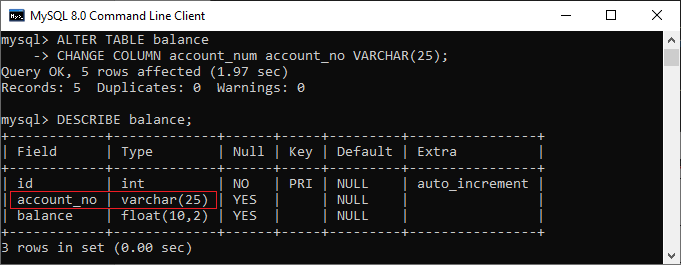
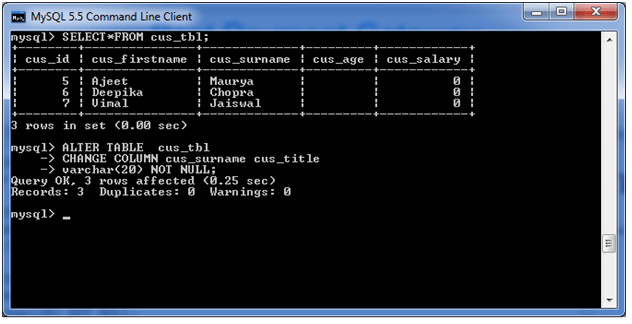
The RENAME COLUMN and CHANGE statements both allow for the names of existing columns to be altered. The difference is that the CHANGE clause can also be used to alter the data types of a column.
Syntax
ALTER TABLE table_name
CHANGE COLUMN old_name new_name
column_definition
[ FIRST | AFTER column_name ]
Example
ALTER TABLE cus_tbl
CHANGE COLUMN cus_surname cus_title
varchar(20) NOT NULL;
6) RENAME table
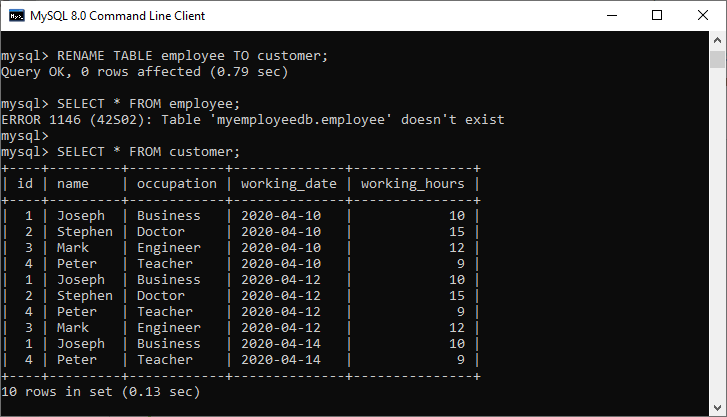
In some situations, database administrators and users want to change the name of the table in the SQL database because they want to give a more relevant name to the table. Any database user can easily change the name by using the RENAME TABLE and ALTER TABLE statement in Structured Query Language.
Syntax
ALTER TABLE table_name
RENAME TO new_table_name;
Example
ALTER TABLE cus_tbl
RENAME TO cus_table;
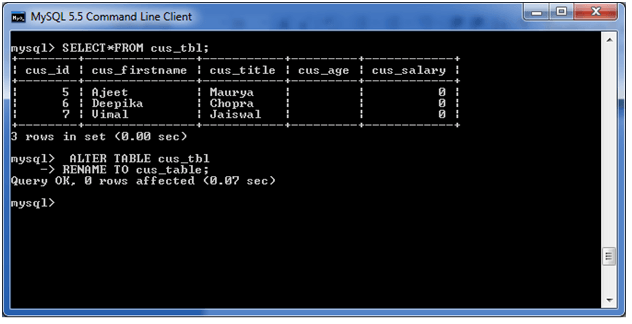
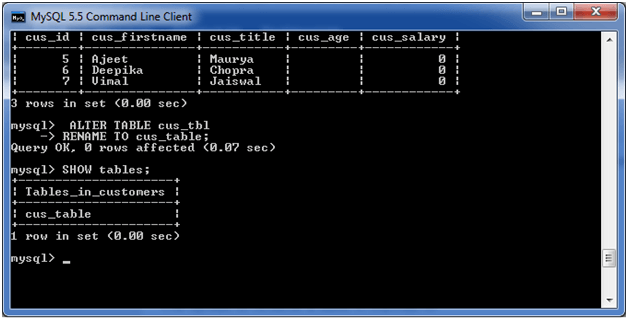
See the Structure:
MySQL Show/List Tables
DESCRIBE means to show the information in detail. Since we have tables in MySQL, so we will use the DESCRIBE command to show the structure of our table, such as column names, constraints on column names, etc. The DESC command is a short form of the DESCRIBE command.
Syntax
mysql> SHOW TABLE tablename;
Example
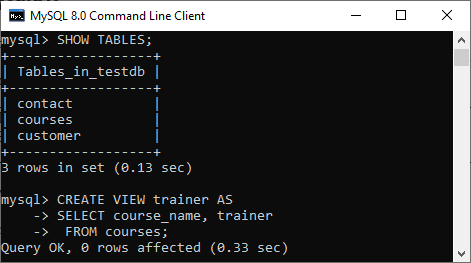
mysql> SHOW TABLES;
OR
mysql> SHOW TABLES FROM mystudentdb;
OR,
mysql> SHOW TABLES IN mystudentdb;
MySQL Add/Delete Column
A column is a series of cells in a table that may contain text, numbers, and images. Every column stores one value for each row in a table. In this section, we are going to discuss how to add or delete columns in an existing table.
How can we add a column in MySQL table?
MySQL allows the ALTER TABLE ADD COLUMN command to add a new column to an existing table. The following are the syntax to do this:
Syntax
ALTER TABLE table_name
ADD COLUMN column_name column_definition [FIRST|AFTER existing_column];
Example
ALTER TABLE Test
ADD COLUMN Phone_number VARCHAR(20) NOT NULL AFTER Name;
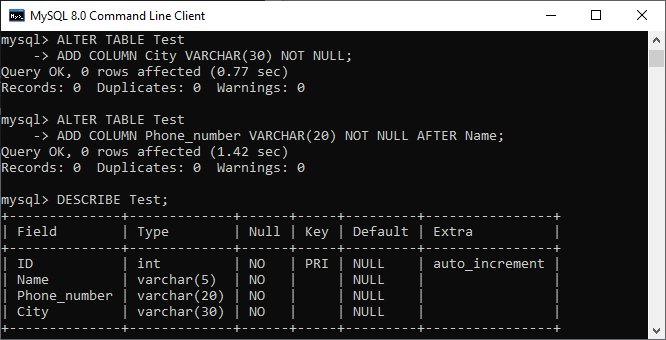
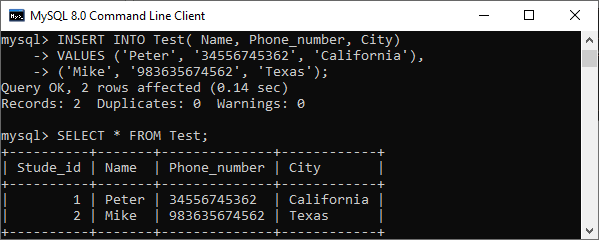
Let us add some data into the Test table using the INSERT statement as follows:
INSERT INTO Test( Name, Phone_number, City)
VALUES ('Peter', '34556745362', 'California'),
('Mike', '983635674562', 'Texas');
How can we drop a column from MySQL table?
Sometimes, we want to remove single or multiple columns from the table. MySQL allows the ALTER TABLE DROP COLUMN statement to delete the column from the table. The following are the syntax to do this:
Syntax
ALTER TABLE table_name DROP COLUMN column_name;
Example
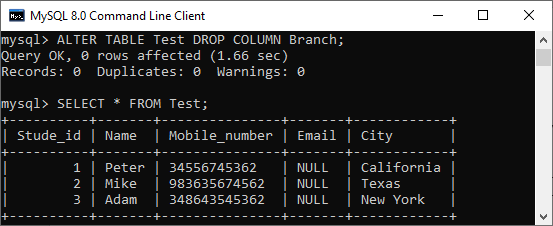
ALTER TABLE Test DROP COLUMN Branch;